
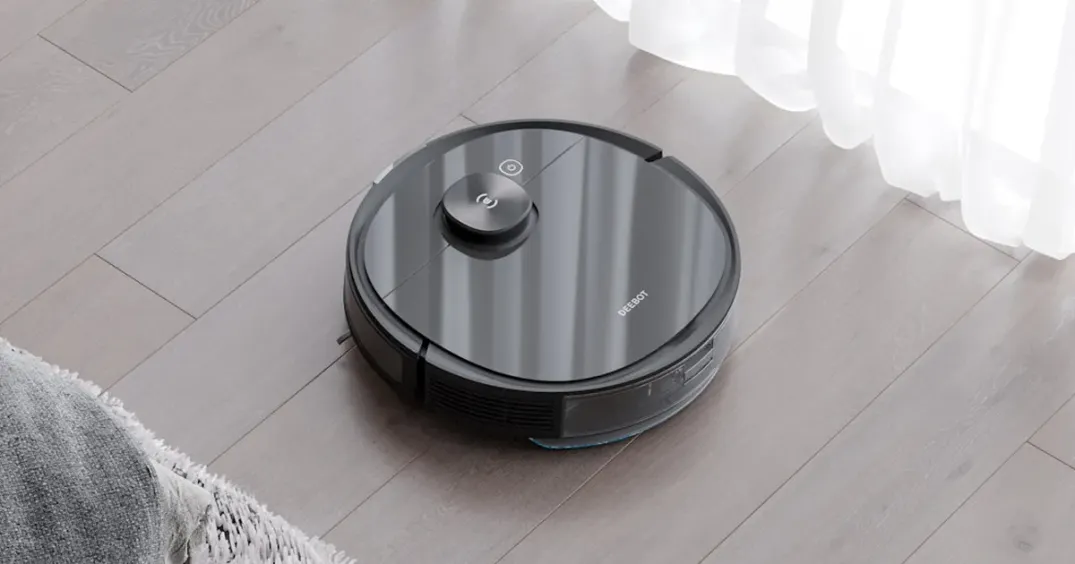

Where we left off
Now after the steps taken in part 1, we have a reliable way to ssh into the robot and we know a little bit about the partition layout.
Claude
Locally, I have setup claude code to have a workspace for this project. Here is the initial CLAUDE.md file I have created. With this it is able to ssh into the robot directly and have the context needed to complete tasks.
# Ecovacs Deebot T8 AIVI — Reverse Engineering Project

## Robot Access
- **IP**: `REDACTED` (DHCP reservation by MAC `REDACTED`)
- **SSH**: `ssh root@REDACTED` — key-based auth via dropbear
- **UART pinout** (8-pin JST in dustbin bay): Pin 3=GND, Pin 4=Robot RX, Pin 5=Robot TX

## Hardware
- SoC: Rockchip PX30 (aarch64, ARM Cortex-A35, 4 cores)
- A/B partition scheme: `rootfs1`/`rootfs2`, `boot1`/`boot2` — two slots have different firmware versions

## Filesystem Layout (on robot)
- `/etc` — read-only squashfs (owned by uid 121, not root — this breaks many tools' permission checks)
- `/data` — writable ext4, ~276MB free — use this for everything persistent
- `/usr/lib/node/` — eros plugin `.so` files
- `/usr/sbin/deebot` — main robot process, loads plugins via `/etc/conf/dxai_node.json`
- `/bin/sh` is not listed in `/etc/shells` (only `/bin/bash` is) — `sshd_start.sh` works around this with a bind mount

## What Lives on the Robot (under /data/)
- `dropbear` + `dropbear_keys/` + `ssh_auth/authorized_keys` — SSH server
- `autostart/sshd_start.sh` — starts wifi, gets DHCP, starts dropbear on boot
- `rostopic.py` — TCPROS subscriber script (not in this repo — lives only on robot)

### Boot Persistence
`/etc/rc.d/autostart.sh` loops over every `.sh` in `/data/autostart/` and runs it with `start`.
Triggered by: busybox init → `/etc/rc.sysinit` → `/etc/rc.conf` daemon list.

## ROS / Eros Framework
- Custom ROS-like framework called "eros"; ROS master on `localhost:11311`
- Master binds to `127.0.0.1` only — not reachable directly over the network
- **From Mac**: SSH tunnel with `ssh -f -N -L 11311:127.0.0.1:11311 root@REDACTED`, then hit `http://127.0.0.1:11311` locally
- No `rostopic` binary — use raw TCPROS via Python (`xmlrpclib`, `socket`, `struct`)
- Query topics: `xmlrpclib.ServerProxy('http://localhost:11311').getSystemState('/')`
- `ros_enumerate.py` in this repo dumps all topics, services, subscribers, and types via the master XML-RPC API (run locally with tunnel)
Additionally, I asked claude to setup a notes directory. After each investigation I am having it note down key findings that it knows for sure are fact. I have used this notes pattern before as a sort of memory for claude but sometimes it will makeup things that seem plausible but do not match reality. This is why I include the "only include absolute facts that you are sure about" part to the prompt when having it create new note md files.
What's running on this thing?
~ # uname -a
Linux deboot 4.4.185 #1 SMP Thu Apr 22 18:26:51 CST 2021 aarch64 GNU/Linux- Some sort of custom linux distro
- ROS Melodic Morenia as noted here: slide 40
Camera
The first thing I want to look at (because I think it will be easy-ish) is the camera. Checking /dev , I noticed there is a handful of video devices. After asking claude to conduct an investigation, it came back with a trove of information (full report in repo but key points below):
- All 6
/dev/video0-video5are from the same ISP. The two relevant ones:/dev/video0rkisp1_mainpathmedusacamera0(object detection, 1280x960 XBGR32)/dev/video1rkisp1_selfpathmedusacamera1(live video, 864x480 NV12, cropped)
- v4l2 is already installed on the robot. Capture can be taken:
v4l2-ctl --device=/dev/video0 --stream-mmap --stream-count=1 --stream-to=/tmp/frame.raw
I was pretty surprised by how fast claude was able to figure all of this out and get a full pipeline going which can capture a photo on the robot, scp it out, and then use ffmpeg locally to convert it to viewable jpg. In this investigation, it also discovered a tool on the robot called mdsctl which appears to be a way to talk to the medusa process. (it found this tool in a script /etc/conf/medusa/process_picture.sh)
mdsctl
After discovering this executable on the robot, I did what any sensible developer would do: man mdsctl which... returned that man is not installed LOL. I then tried mdsctl --help which gave this very helpful output:
~ # which mdsctl
/usr/bin/mdsctl
~ # man mdsctl
-sh: man: not found
~ # mdsctl --help
mdsctl [[socket] <element> <command>]
[E][mdsctl.c:292]
So I asked claude to dig into it and find out how it works and what the available commands are. It looked through a bunch of scripts on the robot to find different usage examples and then compiled them into basically a man page detailing usage options and examples. See here: https://github.com/samr28/ecovacs-t8-aivi-hacking/blob/main/notes/mdsctl.md
Here are some of the interesting commands:
# Get system information (serial number, versions, keys/passwords)
~ # mdsctl sys0 '{"pid_get":"get_all"}'

# Get battery info
~ # mdsctl rosnode '{"todo":"rtctl", "cmd":"getBatteryInfo"}'
{
        "ret":  "ok",
        "battery":      1,
        "inCharging":   1
}
Battery
I may have left the battery fully discharged for a bit too long. Now when I take it off the charger, it immediately dies. I found that mdsctl command that returns the battery info and it seems to show that it is stuck at 1%. I checked the /robot/Robot topic and was able to find in there that Bytes 72–75 = battery, isLowVoltage, isOnCharger, chargeState. On my unit, I am seeing isLowVoltage=true which seems bad.
I have ordered a new battery and plan to install it in the coming days. Hopefully with this fix, I will be able to remove it from the dock and work on getting it to move around.
(2 days later) - I just got and installed the new battery and it seems to be working now! See the status below from my robot_watch.py script:
                 Ecovacs T8 AIVI — /robot/Robot
                      seq #13099                         50.1 Hz
────────────────────────────────────────────────────────────────
  POWER
    Battery   [█████████████░░░░░░░]  67%
    Charger   standard charger   CHARGING

  POSITION  (corrected pose)
    x = -4.123 m     y = +7.308 m     θ = +0.0028 rad
    predict  x = +0.000 m     y = +0.000 m

  SENSORS
    Bump  L=1  LDS=0  R=0           Fall  [0]=0  [1]=0
    Cliff  [0 0 0 0 0 0]   (6 downward IR)
    Dirtbox=0   Carpet=0   Waterbox=0

  RANGE SENSORS
    front_buf      [1, 0, 1]
    side_in        [0, 2]
    down_in        [0, 0, 0, 0, 0]
    ultrasound     [0]

  MOTORS (mA)
    mainbrush=  0  L-side=  0  R-side=  0
    fan=  0  pump=  0  L-wheel=  0  R-wheel=  0

  LDS SCAN
    958 points   t = 36.191 s
    rho  min=158 mm   max=3940 mm   958 valid pts
────────────────────────────────────────────────────────────────
I was also able to do some basic tests to show that at least some of the sensors are working. When the robot is lifted off the ground, the two "Fall" sensors are set to 1. These seem to be limit switches in the wheel assembly which are pressed down when the weight of the robot is on the wheels. I also tested the cliff sensors which are set to 1 when the floor is not directly underneath.
At this point, I understand the basics of the robot and will move on to part 3 where I will be looking into ROS and hopefully getting this thing driving around.